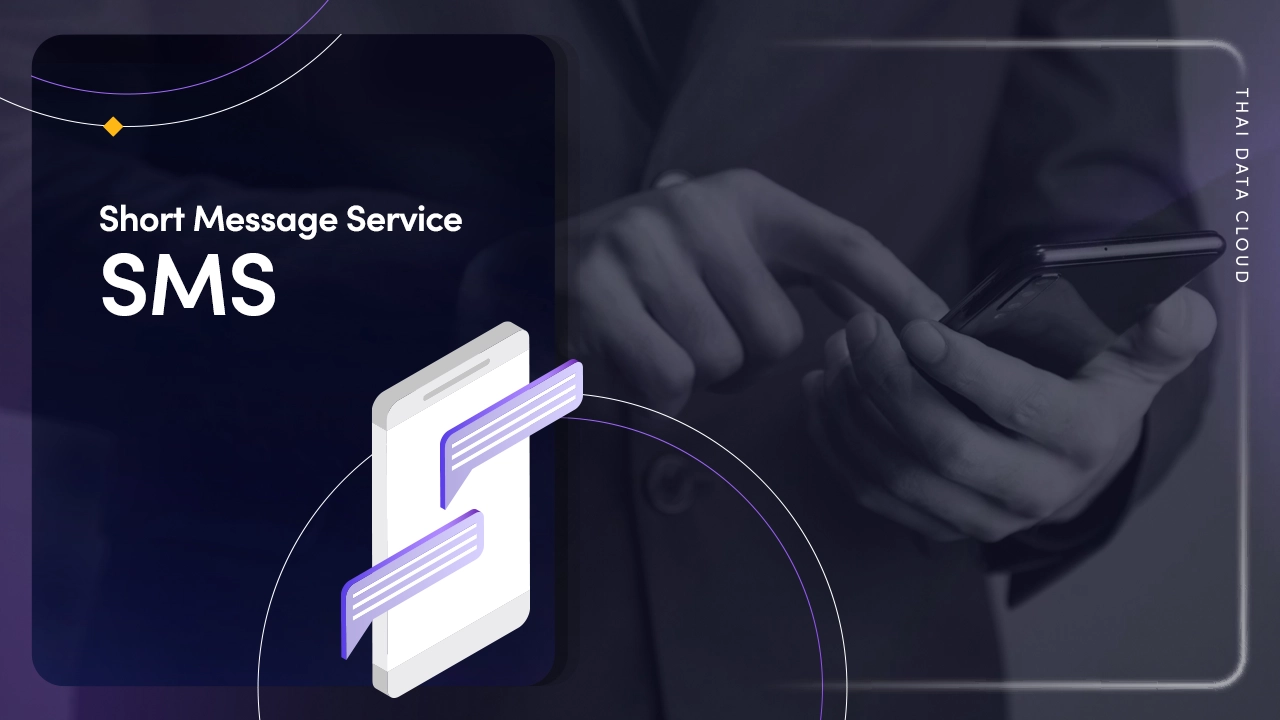
Short Message Service (SMS)
SMS Marketing
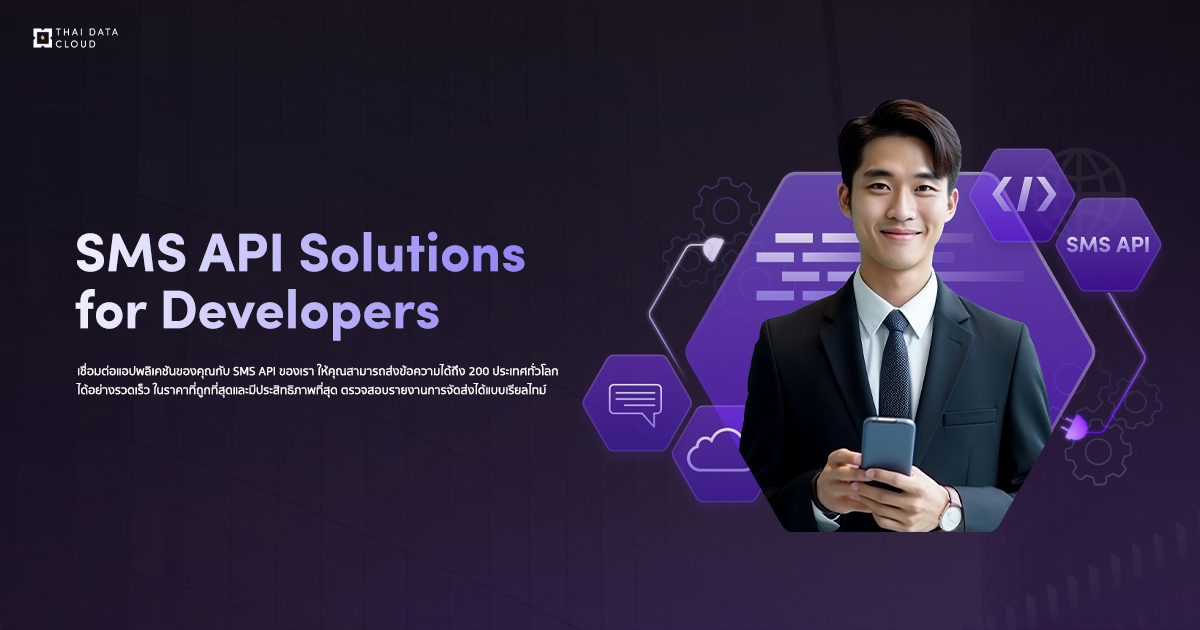
แพลตฟอร์มการส่ง SMS ให้คุณสามารถส่งข้อความถึงผู้รับได้มากกว่า 200 ประเทศทั่วโลกได้อย่างมีประสิทธิภาพภายในไม่กี่วินาที ตรวจสอบจัดส่งแบบเรียลไทม์ เหมาะสำหรับ SMS ส่งเสริมการตลาด การส่งรหัสยืนยัน OTP ข้อความส่งเสริมการขายและแจ้งเตือนต่างๆ
สั่งซื้อ
SMS Service รองรับการส่งกว่า 200 ประเทศ
มอบความยืดหยุ่นในการส่ง SMS บนเว็บ Platform ไม่ต้องติดตั้งโค้ด APIs หรือ SDKs สามารถส่งข้อความได้ทันที ไม่ว่าคุณจะต้องการส่งรหัสยืนยัน OTP การแจ้งเตือน หรือข้อความส่งเสริมการขาย THAI DATA CLOUD SMS เป็นวิธีที่น่าเชื่อถือและมีประสิทธิภาพในการสื่อสารกับลูกค้าของคุณ
ตรวจสอบรายชื่อประเทศที่รองรับ
Efficiency and stability
มีความน่าเชื่อถือ ให้บริการแบบ Operation and Maintenance (O&M) จัดส่งข้อความได้ทั่วโลก ติดตามผลได้แบบ Real-time

Intelligent scheduling
ให้คุณสามารถส่งข้อความตามเวลาที่กำหนดได้ ด้วยการเลือกเส้นทางที่ดีที่สุดเพื่ออัตราความสำเร็จในการจัดส่งแบบเรียลไทม์
Easy integration
SDKs และ APIs พร้อมใช้งานร่วมกับภาษาโปรแกรมเมอร์ต่างๆ ง่ายต่อการ Integrate ลดระยะเวลาและต้นทุนในการพัฒนาโปรแกรม

High performance
รองรับการตั้งเวลาส่งอัจฉริยะ (Schedule Campaign) ข้อความจะถูกส่งด้วยอัตราความสำเร็จสูง แม้ในช่วงเวลาเร่งด่วน
Messaging analytics
อัลกอริทึม AI เพื่อเพิ่มประสิทธิภาพการส่ง ได้รับข้อมูลเชิงลึกในการส่ง ให้การตัดสินใจทางธุรกิจและวิจัยตลาดอย่างชาญฉลาด
Package & Pricing
แพคเกจและราคา

Thailand
ส่งถึงปลายทางเร็วที่สุด
Thailand 1
960 ฿
- จำนวนข้อความ : 2,000
- ข้อความละ 0.48 บาท
- อายุการใช้งาน 6 เดือน
- Sender Name : 3
- Monitoring & Report
Thailand 2
4,800 ฿
- จำนวนข้อความ : 10,000
- ข้อความละ 0.48 บาท
- อายุการใช้งาน 6 เดือน
- Sender Name : 3
- Monitoring & Report
Thailand 3
18,000 ฿
- จำนวนข้อความ : 50,000
- ข้อความละ 0.36 บาท
- อายุการใช้งาน 6 เดือน
- Sender Name : 3
- Monitoring & Report
Thailand 4
33,600 ฿
- จำนวนข้อความ : 100,000
- ข้อความละ 0.33 บาท
- อายุการใช้งาน 6 เดือน
- Sender Name : 3
- Monitoring & Report
Thailand 5
57,600 ฿
- จำนวนข้อความ : 200,000
- ข้อความละ 0.24 บาท
- อายุการใช้งาน 6 เดือน
- Sender Name : 3
- Monitoring & Report
จำนวนข้อความ
2,000
10,000
50,000
100,000
200,000
ราคา/ข้อความ
0.48 บาท
0.48 บาท
0.36 บาท
0.33 บาท
0.28 บาท
อายุการใช้งาน
6 เดือน
6 เดือน
6 เดือน
6 เดือน
6 เดือน
Sender Name
3
3
3
3
3
จำนวนตัวอักษร
500 ตัวอักษร
ต่อ 1 ข้อความ
500 ตัวอักษร
ต่อ 1 ข้อความ
500 ตัวอักษร
ต่อ 1 ข้อความ
500 ตัวอักษร
ต่อ 1 ข้อความ
500 ตัวอักษร
ต่อ 1 ข้อความ
Monitoring & Report

Global Plus
รองรับ 200 ประเทศทั่วโลก
Global Plus 1
990 ฿
- จำนวนข้อความ : 100
- ข้อความละ 9.90 บาท
- อายุการใช้งาน 6 เดือน
- Sender Name : 3
- Monitoring & Report
Global Plus 2
25,920 ฿
- จำนวนข้อความ : 3,000
- ข้อความละ 8.64 บาท
- อายุการใช้งาน 6 เดือน
- Sender Name : 3
- Monitoring & Report
Global Plus 3
68,550 ฿
- จำนวนข้อความ : 8,000
- ข้อความละ 8.56 บาท
- อายุการใช้งาน 6 เดือน
- Sender Name : 3
- Monitoring & Report
Global Plus 4
169,920 ฿
- จำนวนข้อความ : 20,000
- ข้อความละ 8.49 บาท
- อายุการใช้งาน 6 เดือน
- Sender Name : 3
- Monitoring & Report
จำนวนข้อความ
100
3,000
8,000
20,000
ราคา/ข้อความ
9.90 บาท
8.64 บาท
8.56 บาท
8.49 บาท
อายุการใช้งาน
6 เดือน
6 เดือน
6 เดือน
6 เดือน
Sender Name
3
3
3
3
จำนวนตัวอักษร
500 ตัวอักษร
ต่อ 1 ข้อความ
500 ตัวอักษร
ต่อ 1 ข้อความ
500 ตัวอักษร
ต่อ 1 ข้อความ
500 ตัวอักษร
ต่อ 1 ข้อความ
Monitoring & Report
Thailand
ส่งถึงปลายทางเร็วที่สุด
Thailand 1
960 ฿
- จำนวนข้อความ : 2,000
- ข้อความละ 0.48 บาท
- อายุการใช้งาน 6 เดือน
- Sender Name : 3
- Monitoring & Report
Thailand 2
4,800 ฿
- จำนวนข้อความ : 10,000
- ข้อความละ 0.48 บาท
- อายุการใช้งาน 6 เดือน
- Sender Name : 3
- Monitoring & Report
Thailand 3
18,000 ฿
- จำนวนข้อความ : 50,000
- ข้อความละ 0.36 บาท
- อายุการใช้งาน 6 เดือน
- Sender Name : 3
- Monitoring & Report
Thailand 4
33,600 ฿
- จำนวนข้อความ : 100,000
- ข้อความละ 0.33 บาท
- อายุการใช้งาน 6 เดือน
- Sender Name : 3
- Monitoring & Report
Thailand 5
57,600 ฿
- จำนวนข้อความ : 200,000
- ข้อความละ 0.24 บาท
- อายุการใช้งาน 6 เดือน
- Sender Name : 3
- Monitoring & Report
จำนวนข้อความ
2,000
10,000
50,000
100,000
200,000
ราคา/ข้อความ
0.48 บาท
0.48 บาท
0.36 บาท
0.33 บาท
0.28 บาท
อายุการใช้งาน
6 เดือน
6 เดือน
6 เดือน
6 เดือน
6 เดือน
Sender Name
3
3
3
3
3
จำนวนตัวอักษร
500 ตัวอักษร
ต่อ 1 ข้อความ
500 ตัวอักษร
ต่อ 1 ข้อความ
500 ตัวอักษร
ต่อ 1 ข้อความ
500 ตัวอักษร
ต่อ 1 ข้อความ
500 ตัวอักษร
ต่อ 1 ข้อความ
Monitoring & Report
Global Plus
รองรับ 200 ประเทศทั่วโลก
Global Plus 1
990 ฿
- จำนวนข้อความ : 100
- ข้อความละ 9.90 บาท
- อายุการใช้งาน 6 เดือน
- Sender Name : 3
- Monitoring & Report
Global Plus 2
25,920 ฿
- จำนวนข้อความ : 3,000
- ข้อความละ 8.64 บาท
- อายุการใช้งาน 6 เดือน
- Sender Name : 3
- Monitoring & Report
Global Plus 3
68,550 ฿
- จำนวนข้อความ : 8,000
- ข้อความละ 8.56 บาท
- อายุการใช้งาน 6 เดือน
- Sender Name : 3
- Monitoring & Report
Global Plus 4
169,920 ฿
- จำนวนข้อความ : 20,000
- ข้อความละ 8.49 บาท
- อายุการใช้งาน 6 เดือน
- Sender Name : 3
- Monitoring & Report
จำนวนข้อความ
100
3,000
8,000
20,000
ราคา/ข้อความ
9.90 บาท
8.64 บาท
8.56 บาท
8.49 บาท
อายุการใช้งาน
6 เดือน
6 เดือน
6 เดือน
6 เดือน
Sender Name
3
3
3
3
จำนวนตัวอักษร
500 ตัวอักษร
ต่อ 1 ข้อความ
500 ตัวอักษร
ต่อ 1 ข้อความ
500 ตัวอักษร
ต่อ 1 ข้อความ
500 ตัวอักษร
ต่อ 1 ข้อความ
Monitoring & Report
หมายเหตุ
- ราคาแพ็กเกจยังไม่รวมภาษีมูลค่าเพิ่ม 7 %
- สั่งซื้อ SMS ในปริมาณที่มากกว่า 200,000 ข้อความในราคาที่ถูกกว่า ติดต่อฝ่ายขาย
Cloud SMS Advantages
ข้อดีของบริการ SMS จาก THAI DATA CLOUD

เชื่อมต่อได้ทั่วโลก
อัลกอริทึมของเราครอบคลุมกว่า 200 ประเทศและภูมิภาค ตรวจสอบประสิทธิภาพ และเลือกช่องทางการส่งที่มีประสิทธิภาพสูงสุดโดยอัตโนมัติ

ปรับขนาด รองรับภาระงานได้สูง
เพื่อให้ตรงกับปริมาณงานของคุณ สามารถปรับขนาดได้อย่างง่ายดาย รองรับการส่งข้อความจำนวนมากในทุกเทศกาล

จัดลำดับความสำคัญข้อความ
จัดลำดับความสำคัญของคุณภาพบริการตาม (QoS) ตัวอย่างเช่น ข้อความที่มี QoS สูง เช่น รหัสยืนยัน จะได้รับ

ควบคุมปริมาณอัจฉริยะ
กำหนดจำนวนข้อความสูงสุดต่อวันเพื่อควบคุมทรัพยากรและค่าใช้จ่าย นอกจากนี้ ยังให้คุณจำกัดจำนวนข้อความที่ผู้ใช้คนเดียวสามารถรับได้ในแต่ละวัน

API ที่ปลอดภัย
ระบบจะตรวจสอบโดยอัตโนมัติว่าใครเป็นผู้เรียกใช้ API เพิ่มความปลอดภัยและการมองเห็นสำหรับการเรียก API ทั้งหมด เพื่อให้แน่ใจว่ามีเพียงคุณเท่านั้นที่เรียกใช้ API ได้

Support/Maintenance ระดับเฟิร์สคลาส
สามารถพัฒนาบนแพลตฟอร์ม SMS รองรับ Java, PHP, Python, Node.js และ C# ไม่ต้องสร้างหรือบำรุงรักษา infrastructure เอง
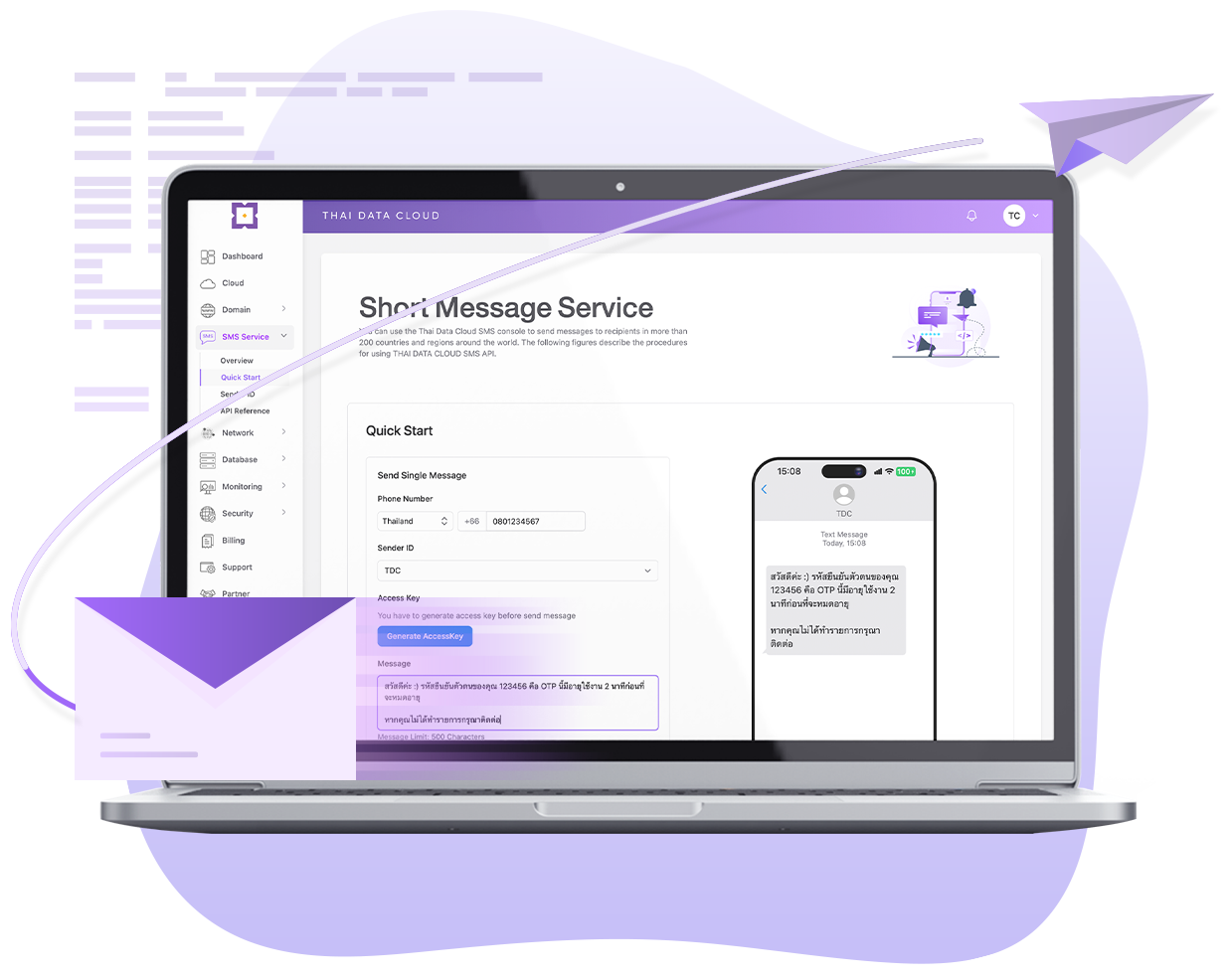
รองรับการส่งข้อความได้ทั่วโลก
Global coverage
SMS API ของ THAI DATA CLOUD ให้คุณสามารถส่งข้อความถึงผู้รับได้มากกว่า 200 ประเทศและภูมิภาคทั่วโลก
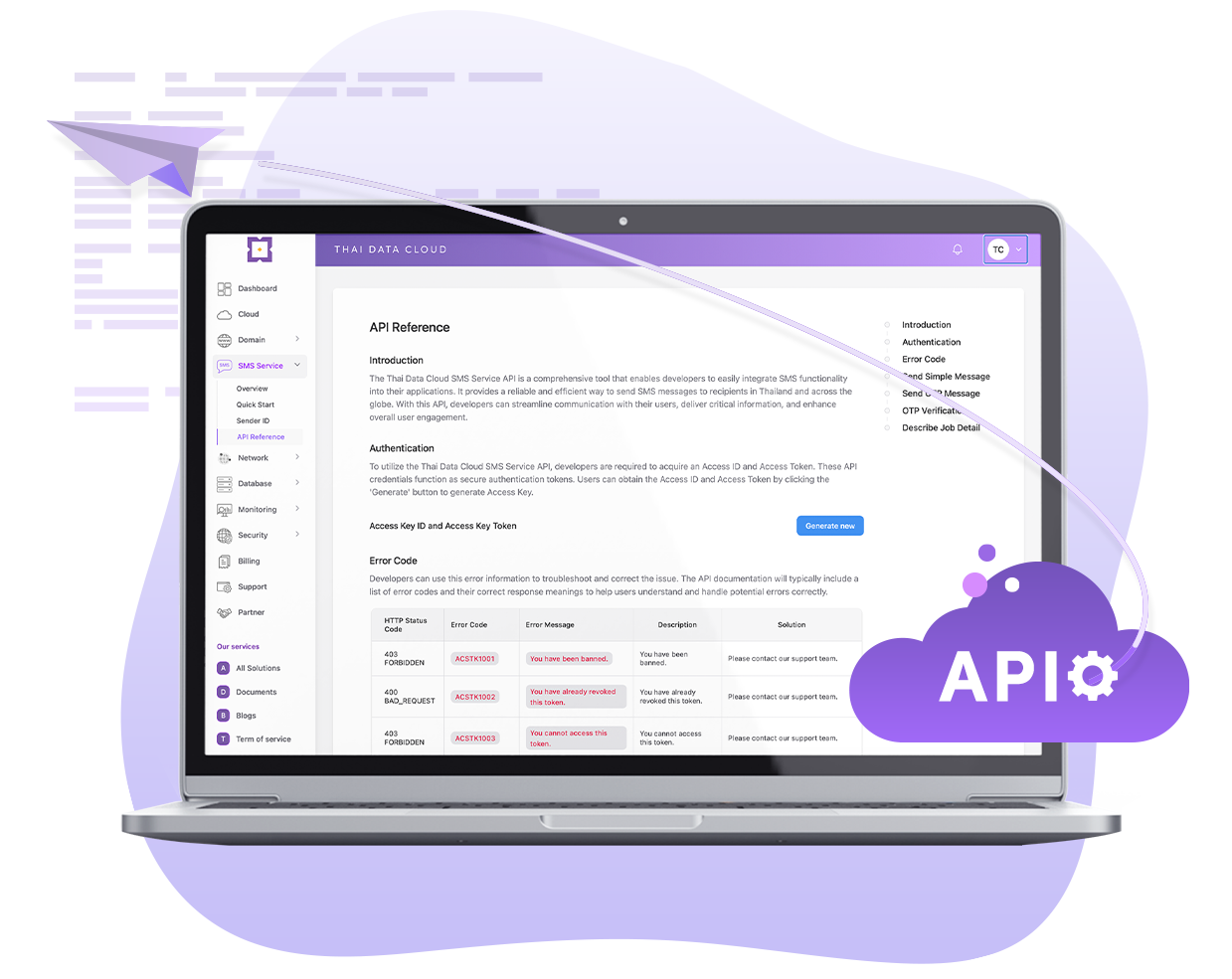
เชื่อมต่อ API ที่ปลอดภัยและรวดเร็ว
Security and Privacy API
ระบบจะตรวจสอบโดยอัตโนมัติว่าใครเป็นผู้เรียกใช้ API เพิ่มความปลอดภัยและการมองเห็นสำหรับการเรียก API ทั้งหมด เพื่อให้แน่ใจว่ามีเพียงคุณเท่านั้นที่เรียกใช้ API ได้
SDKs และ APIs พร้อมใช้งานร่วมกับภาษาโปรแกรมเมอร์ต่างๆ ง่ายต่อการ Integrate ลดระยะเวลาและต้นทุนในการพัฒนาโปรแกรม
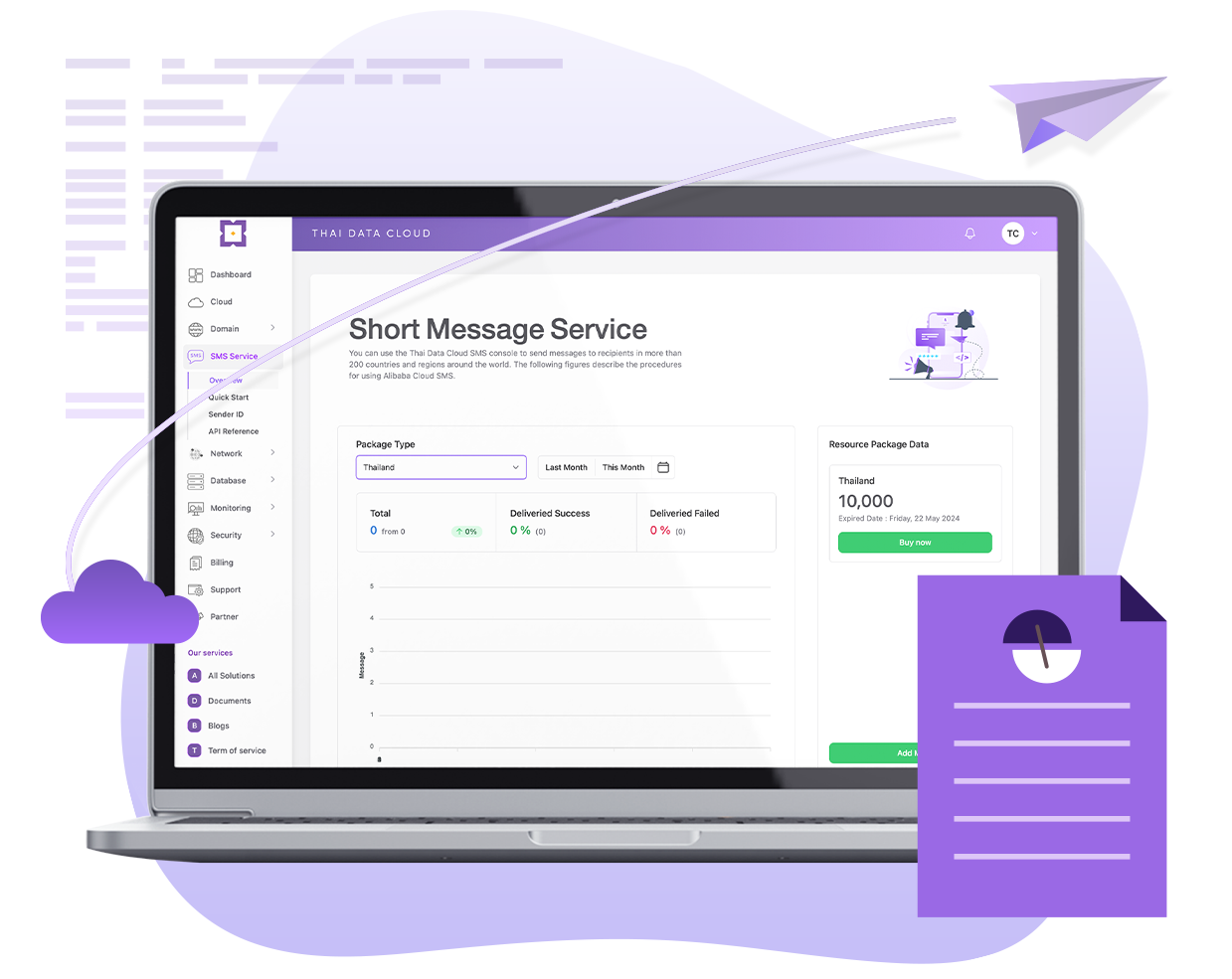
รายงานสถิติการส่งแบบเรียลไทม์
Real-time analytics
เราได้รวบรวมข้อมูลและสถิติการส่งข้อความมาไว้บนแดชบอร์ดเพื่อให้แสดงรายงานการส่งข้อความแบบเรียลไทม์อย่างละเอียด เข้าใจรายงานได้อย่างรวดเร็ว สามารถนำไปใช้ในการวิเคราะห์ข้อความ จัดการทรัพยากร และเพิ่มประสิทธิภาพการทำงาน SMS ของคุณให้ดียิ่งขึ้น
New Feature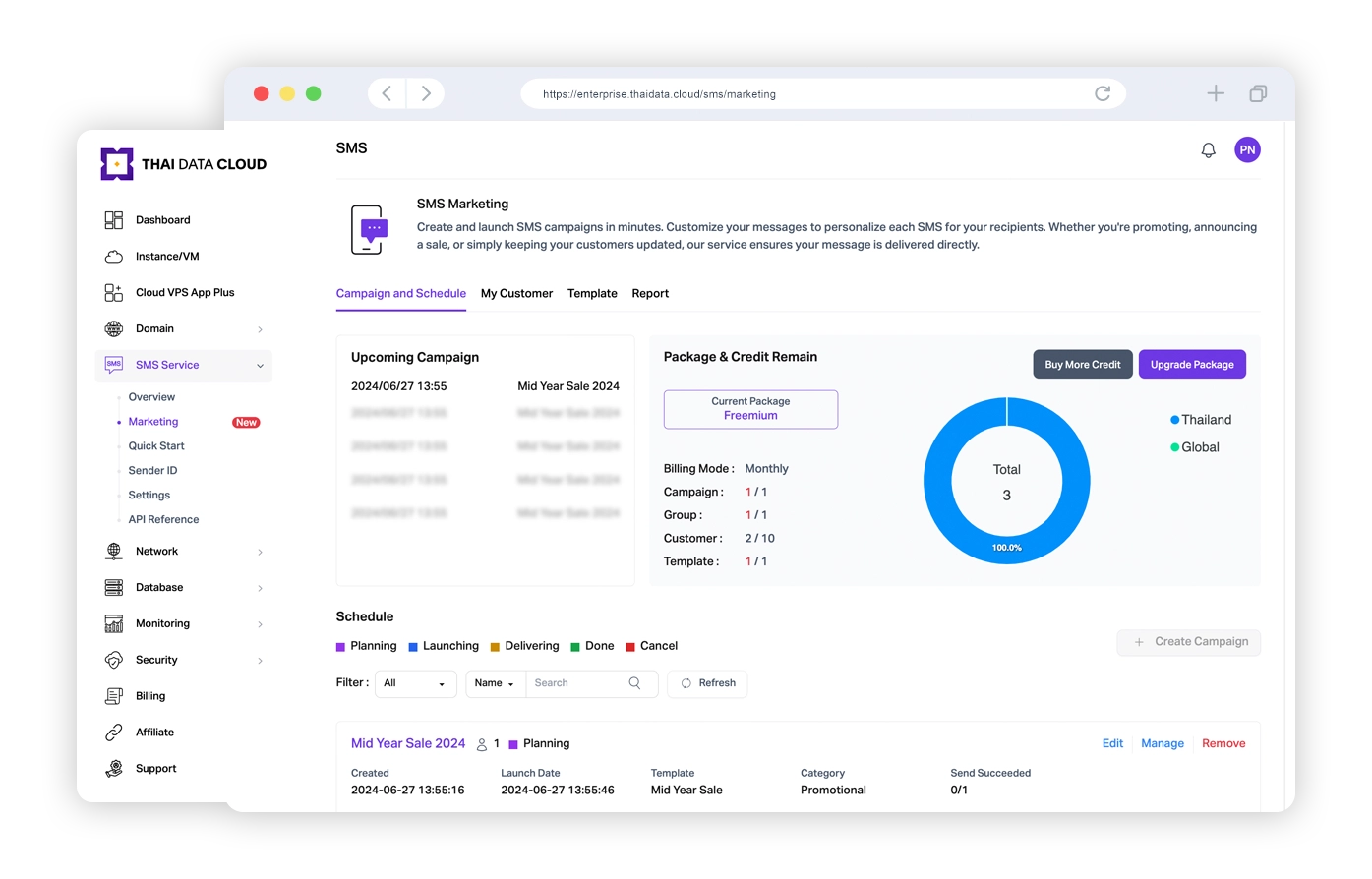
Campaign and Schedule
เพิ่มฟีเจอร์ใหม่ให้สามารถสร้างแคมเปญ เพิ่มและจัดการกลุ่มลูกค้าผู้รับ สร้าง Template SMS และตั้งเวลาส่งล่วงหน้าได้แบบไม่มีสะดุด- สร้างแคมเปญและส่งล่วงหน้า
- สร้างรายชื่อลูกค้า (Manual/Import)
- สร้างกลุ่มลูกค้า (Customer Group)
- สร้าง Template (Customer Field)
- รายงานการส่ง (Report)
Our API Integrated Quick and Easy
เชื่อมต่อ API ได้อย่างรวดเร็ว
เริ่มส่งข้อความถึงลูกค้าของคุณวันนี้ด้วย SMS Service API ที่รวดเร็วและใช้งานง่ายและเอกสารเชิงลึกของเรา
API Documentation
      curl -X 'POST' 'https://mooping-openapi.thaidata.cloud/v1.1/sms-simple'
      -H 'accept: */*'
      -H 'access-key-token: Access Key Token'
      -H 'access-key-id: Access Key Id'
      -H 'Content-Type: application/json'
      -d '{
      "phoneCode": "Client Phone Country Code",
      "phoneNumber": "Client Phone Number",
      "senderId": "Your Activate SenderId",
      "message": "Message Content"
    }'
      require 'net/http'
      require 'uri'
      require 'json'
      url = URI.parse('https://mooping-openapi.thaidata.cloud/v1.1/sms-simple')
      headers = {
        'accept' => '*/*',
        'access-key-token' => 'Access Key Token',
        'access-key-id' => 'Access Key Id',
        'Content-Type' => 'application/json'
      }
      data = {
        "phoneCode" => "Client Phone Country Code",
        "phoneNumber" => "Client Phone Number",
        "senderId" => "Your Activate SenderId",
        "message" => "Message Content"
      }
      http = Net::HTTP.new(url.host, url.port)
      http.use_ssl = (url.scheme == 'https')
      request = Net::HTTP::Post.new(url.path, headers)
      request.body = data.to_json
      response = http.request(request)
      puts "Response Code: #{response.code}"
      puts "Response Body: #{response.body}"
      import requests
      import json
      url = 'https://mooping-openapi.thaidata.cloud/v1.1/sms-simple'
      headers = {
          'accept': '*/*',
          'access-key-token': 'Access Key Token',
          'access-key-id': 'Access Key Id',
          'Content-Type': 'application/json'
      }
      data = {
          "phoneCode": "Client Phone Country Code",
          "phoneNumber": "Client Phone Number",
          "senderId": "Your Activate SenderId",
          "message": "Message Content"
      }
      response = requests.post(url, headers=headers, data=json.dumps(data))
      print(f"Response Code: {response.status_code}")
      print("Response Body:", response.text)
      <?php
      $url = 'https://mooping-openapi.thaidata.cloud/v1.1/sms-simple';
      $headers = array(
          'accept: */*',
          'access-key-token: Access Key Token',
          'access-key-id: Access Key Id',
          'Content-Type: application/json'
      );
      $data = array(
          "phoneCode" => "Client Phone Country Code",
          "phoneNumber" => "Client Phone Number",
          "senderId" => "Your Activate SenderId",
          "message" => "Message Content"
      );
      $ch = curl_init();
      curl_setopt($ch, CURLOPT_URL, $url);
      curl_setopt($ch, CURLOPT_HTTPHEADER, $headers);
      curl_setopt($ch, CURLOPT_RETURNTRANSFER, true);
      curl_setopt($ch, CURLOPT_POST, true);
      curl_setopt($ch, CURLOPT_POSTFIELDS, json_encode($data));
      $response = curl_exec($ch);
      if (curl_errno($ch)) {
          echo 'Error: ' . curl_error($ch);
      }
      curl_close($ch);
      echo "Response Code: " . http_response_code() . " ";
      echo "Response Body: " . $response . " ";
      ?>
      import java.io.BufferedReader;
      import java.io.DataOutputStream;
      import java.io.InputStreamReader;
      import java.net.HttpURLConnection;
      import java.net.URL;
      public class HttpClientExample {
          public static void main(String[] args) {
              try {
                  String url = "https://mooping-openapi.thaidata.cloud/v1.1/sms-simple";
                  URL obj = new URL(url);
                  HttpURLConnection connection = (HttpURLConnection) obj.openConnection();
                  // Set the HTTP POST method
                  connection.setRequestMethod("POST");
                  // Set request headers
                  connection.setRequestProperty("accept", "*/*");
                  connection.setRequestProperty("access-key-token", "Access Key Token");
                  connection.setRequestProperty("access-key-id", "Access Key Id");
                  connection.setRequestProperty("Content-Type", "application/json");
                  // Enable input/output streams
                  connection.setDoOutput(true);
                  connection.setDoInput(true);
                  // JSON data to send
                  String jsonData = "{" +
                          "phoneCode": "Client Phone Country Code"," +
                          "phoneNumber": "Client Phone Number"," +
                          "senderId": "Your Activate SenderId"," +
                          "message": "Message Content"" +
                          "}";
                  // Send POST data
                  try (DataOutputStream wr = new DataOutputStream(connection.getOutputStream())) {
                      wr.writeBytes(jsonData);
                      wr.flush();
                  }
                  int responseCode = connection.getResponseCode();
                  System.out.println("Response Code: " + responseCode);
                  BufferedReader in = new BufferedReader(new InputStreamReader(connection.getInputStream()));
                  String inputLine;
                  StringBuilder response = new StringBuilder();
                  while ((inputLine = in.readLine()) != null) {
                      response.append(inputLine);
                  }
                  in.close();
                  System.out.println("Response Body: " + response.toString());
              } catch (Exception e) {
                  e.printStackTrace();
              }
          }
      }
      const axios = require('axios');
      const url = 'https://mooping-openapi.thaidata.cloud/v1.1/sms-simple';
      const headers = {
        'accept': '*/*',
        'access-key-token': 'Access Key Token',
        'access-key-id': 'Access Key Id',
        'Content-Type': 'application/json'
      };
      const data = {
        "phoneCode": "Client Phone Country Code",
        "phoneNumber": "Client Phone Number",
        "senderId": "Your Activate SenderId",
        "message": "Message Content"
      };
      axios.post(url, data, { headers })
        .then(response => {
          console.log("Response Code:" , response.status);
          console.log("Response Body:", response.data);
        })
        .catch(error => {
          console.error(error);
        });
      using System;
      using System.Net.Http;
      using System.Text;
      using System.Threading.Tasks;
      class Program
      {
          static async Task Main()
          {
              string url = "https://mooping-openapi.thaidata.cloud/v1.1/sms-simple";
              var headers = new System.Net.Http.Headers.HttpRequestHeaders();
              headers.Add("accept", "*/*");
              headers.Add("access-key-token", "Access Key Token");
              headers.Add("access-key-id", "Access Key Id");
              headers.Add("Content-Type", "application/json");
              var data = new
              {
                  phoneCode = "Client Phone Country Code",
                  phoneNumber = "Client Phone Number",
                  senderId = "Your Activate SenderId",
                  message = "Message Content"
              };
              using (HttpClient client = new HttpClient())
              {
                  client.DefaultRequestHeaders.Clear();
                  client.DefaultRequestHeaders.AddHeaders(headers);
                  var jsonContent = new StringContent(Newtonsoft.Json.JsonConvert.SerializeObject(data), Encoding.UTF8, "application/json");
                  HttpResponseMessage response = await client.PostAsync(url, jsonContent);
                  Console.WriteLine($"Response Code: {(int)response.StatusCode} {response.ReasonPhrase}");
                  if (response.IsSuccessStatusCode)
                  {
                      string responseContent = await response.Content.ReadAsStringAsync();
                      Console.WriteLine("Response Body:");
                      Console.WriteLine(responseContent);
                  }
                  else
                  {
                      Console.WriteLine("Request failed.");
                  }
              }
          }
      }
      package main
      import (
          "bytes"
          "fmt"
          "net/http"
          "encoding/json"
      )
      func main() {
          url := "https://mooping-openapi.thaidata.cloud/v1.1/sms-simple"
          headers := map[string]string{
              "accept":           "*/*",
              "access-key-token": "Access Key Token",
              "access-key-id":    "Access Key Id",
              "Content-Type":     "application/json",
          }
          data := map[string]interface{}{
              "phoneCode":  "Client Phone Country Code",
              "phoneNumber": "Client Phone Number",
              "senderId":    "Your Activate SenderId",
              "message":     "Message Content",
          }
          jsonData, err := json.Marshal(data)
          if err != nil {
              fmt.Println("Error marshaling JSON data:", err)
              return
          }
          req, err := http.NewRequest("POST", url, bytes.NewBuffer(jsonData))
          if err != nil {
              fmt.Println("Error creating request:", err)
              return
          }
          for key, value := range headers {
              req.Header.Set(key, value)
          }
          client := &http.Client{}
          resp, err := client.Do(req)
          if err != nil {
              fmt.Println("Error sending request:", err)
              return
          }
          defer resp.Body.Close()
          fmt.Printf("Response Code: %d %s", resp.StatusCode, resp.Status)
          if resp.StatusCode == http.StatusOK {
              responseBody := new(bytes.Buffer)
              responseBody.ReadFrom(resp.Body)
              fmt.Println("Response Body:", responseBody.String())
          } else {
              fmt.Println("Request failed.")
          }
      }
curl -X 'POST' 'https://mooping-openapi.thaidata.cloud/v1.1/sms-simple'
-H 'accept: */*'
-H 'access-key-token: Access Key Token'
-H 'access-key-id: Access Key Id'
-H 'Content-Type: application/json'
-d '{
"phoneCode": "Client Phone Country Code",
"phoneNumber": "Client Phone Number",
"senderId": "Your Activate SenderId",
"message": "Message Content"
}'
require 'net/http'
require 'uri'
require 'json'
url = URI.parse('https://mooping-openapi.thaidata.cloud/v1.1/sms-simple')
headers = {
'accept' => '*/*',
'access-key-token' => 'Access Key Token',
'access-key-id' => 'Access Key Id',
'Content-Type' => 'application/json'
}
data = {
"phoneCode" => "Client Phone Country Code",
"phoneNumber" => "Client Phone Number",
"senderId" => "Your Activate SenderId",
"message" => "Message Content"
}
http = Net::HTTP.new(url.host, url.port)
http.use_ssl = (url.scheme == 'https')
request = Net::HTTP::Post.new(url.path, headers)
request.body = data.to_json
response = http.request(request)
puts "Response Code: #{response.code}"
puts "Response Body: #{response.body}"
import requests
import json
url = 'https://mooping-openapi.thaidata.cloud/v1.1/sms-simple'
headers = {
'accept': '*/*',
'access-key-token': 'Access Key Token',
'access-key-id': 'Access Key Id',
'Content-Type': 'application/json'
}
data = {
"phoneCode": "Client Phone Country Code",
"phoneNumber": "Client Phone Number",
"senderId": "Your Activate SenderId",
"message": "Message Content"
}
response = requests.post(url, headers=headers, data=json.dumps(data))
print(f"Response Code: {response.status_code}")
print("Response Body:", response.text)
<?php
$url = 'https://mooping-openapi.thaidata.cloud/v1.1/sms-simple';
$headers = array(
'accept: */*',
'access-key-token: Access Key Token',
'access-key-id: Access Key Id',
'Content-Type: application/json'
);
$data = array(
"phoneCode" => "Client Phone Country Code",
"phoneNumber" => "Client Phone Number",
"senderId" => "Your Activate SenderId",
"message" => "Message Content"
);
$ch = curl_init();
curl_setopt($ch, CURLOPT_URL, $url);
curl_setopt($ch, CURLOPT_HTTPHEADER, $headers);
curl_setopt($ch, CURLOPT_RETURNTRANSFER, true);
curl_setopt($ch, CURLOPT_POST, true);
curl_setopt($ch, CURLOPT_POSTFIELDS, json_encode($data));
$response = curl_exec($ch);
if (curl_errno($ch)) {
echo 'Error: ' . curl_error($ch);
}
curl_close($ch);
echo "Response Code: " . http_response_code() . " ";
echo "Response Body: " . $response . " ";
?>
import java.io.BufferedReader;
import java.io.DataOutputStream;
import java.io.InputStreamReader;
import java.net.HttpURLConnection;
import java.net.URL;
public class HttpClientExample {
public static void main(String[] args) {
try {
String url = "https://mooping-openapi.thaidata.cloud/v1.1/sms-simple";
URL obj = new URL(url);
HttpURLConnection connection = (HttpURLConnection) obj.openConnection();
// Set the HTTP POST method
connection.setRequestMethod("POST");
// Set request headers
connection.setRequestProperty("accept", "*/*");
connection.setRequestProperty("access-key-token", "Access Key Token");
connection.setRequestProperty("access-key-id", "Access Key Id");
connection.setRequestProperty("Content-Type", "application/json");
// Enable input/output streams
connection.setDoOutput(true);
connection.setDoInput(true);
// JSON data to send
String jsonData = "{" +
"phoneCode": "Client Phone Country Code"," +
"phoneNumber": "Client Phone Number"," +
"senderId": "Your Activate SenderId"," +
"message": "Message Content"" +
"}";
// Send POST data
try (DataOutputStream wr = new DataOutputStream(connection.getOutputStream())) {
wr.writeBytes(jsonData);
wr.flush();
}
int responseCode = connection.getResponseCode();
System.out.println("Response Code: " + responseCode);
BufferedReader in = new BufferedReader(new InputStreamReader(connection.getInputStream()));
String inputLine;
StringBuilder response = new StringBuilder();
while ((inputLine = in.readLine()) != null) {
response.append(inputLine);
}
in.close();
System.out.println("Response Body: " + response.toString());
} catch (Exception e) {
e.printStackTrace();
}
}
}
      const axios = require('axios');
      const url = 'https://mooping-openapi.thaidata.cloud/v1.1/sms-simple';
      const headers = {
        'accept': '*/*',
        'access-key-token': 'Access Key Token',
        'access-key-id': 'Access Key Id',
        'Content-Type': 'application/json'
      };
      const data = {
        "phoneCode": "Client Phone Country Code",
        "phoneNumber": "Client Phone Number",
        "senderId": "Your Activate SenderId",
        "message": "Message Content"
      };
      axios.post(url, data, { headers })
        .then(response => {
          console.log("Response Code:" , response.status);
          console.log("Response Body:", response.data);
        })
        .catch(error => {
          console.error(error);
        });
      using System;
      using System.Net.Http;
      using System.Text;
      using System.Threading.Tasks;
      class Program
      {
          static async Task Main()
          {
              string url = "https://mooping-openapi.thaidata.cloud/v1.1/sms-simple";
              var headers = new System.Net.Http.Headers.HttpRequestHeaders();
              headers.Add("accept", "*/*");
              headers.Add("access-key-token", "Access Key Token");
              headers.Add("access-key-id", "Access Key Id");
              headers.Add("Content-Type", "application/json");
              var data = new
              {
                  phoneCode = "Client Phone Country Code",
                  phoneNumber = "Client Phone Number",
                  senderId = "Your Activate SenderId",
                  message = "Message Content"
              };
              using (HttpClient client = new HttpClient())
              {
                  client.DefaultRequestHeaders.Clear();
                  client.DefaultRequestHeaders.AddHeaders(headers);
                  var jsonContent = new StringContent(Newtonsoft.Json.JsonConvert.SerializeObject(data), Encoding.UTF8, "application/json");
                  HttpResponseMessage response = await client.PostAsync(url, jsonContent);
                  Console.WriteLine($"Response Code: {(int)response.StatusCode} {response.ReasonPhrase}");
                  if (response.IsSuccessStatusCode)
                  {
                      string responseContent = await response.Content.ReadAsStringAsync();
                      Console.WriteLine("Response Body:");
                      Console.WriteLine(responseContent);
                  }
                  else
                  {
                      Console.WriteLine("Request failed.");
                  }
              }
          }
      }
      package main
      import (
          "bytes"
          "fmt"
          "net/http"
          "encoding/json"
      )
      func main() {
          url := "https://mooping-openapi.thaidata.cloud/v1.1/sms-simple"
          headers := map[string]string{
              "accept":           "*/*",
              "access-key-token": "Access Key Token",
              "access-key-id":    "Access Key Id",
              "Content-Type":     "application/json",
          }
          data := map[string]interface{}{
              "phoneCode":  "Client Phone Country Code",
              "phoneNumber": "Client Phone Number",
              "senderId":    "Your Activate SenderId",
              "message":     "Message Content",
          }
          jsonData, err := json.Marshal(data)
          if err != nil {
              fmt.Println("Error marshaling JSON data:", err)
              return
          }
          req, err := http.NewRequest("POST", url, bytes.NewBuffer(jsonData))
          if err != nil {
              fmt.Println("Error creating request:", err)
              return
          }
          for key, value := range headers {
              req.Header.Set(key, value)
          }
          client := &http.Client{}
          resp, err := client.Do(req)
          if err != nil {
              fmt.Println("Error sending request:", err)
              return
          }
          defer resp.Body.Close()
          fmt.Printf("Response Code: %d %s", resp.StatusCode, resp.Status)
          if resp.StatusCode == http.StatusOK {
              responseBody := new(bytes.Buffer)
              responseBody.ReadFrom(resp.Body)
              fmt.Println("Response Body:", responseBody.String())
          } else {
              fmt.Println("Request failed.")
          }
      }
Scenarios
สถานการณ์การใช้งาน
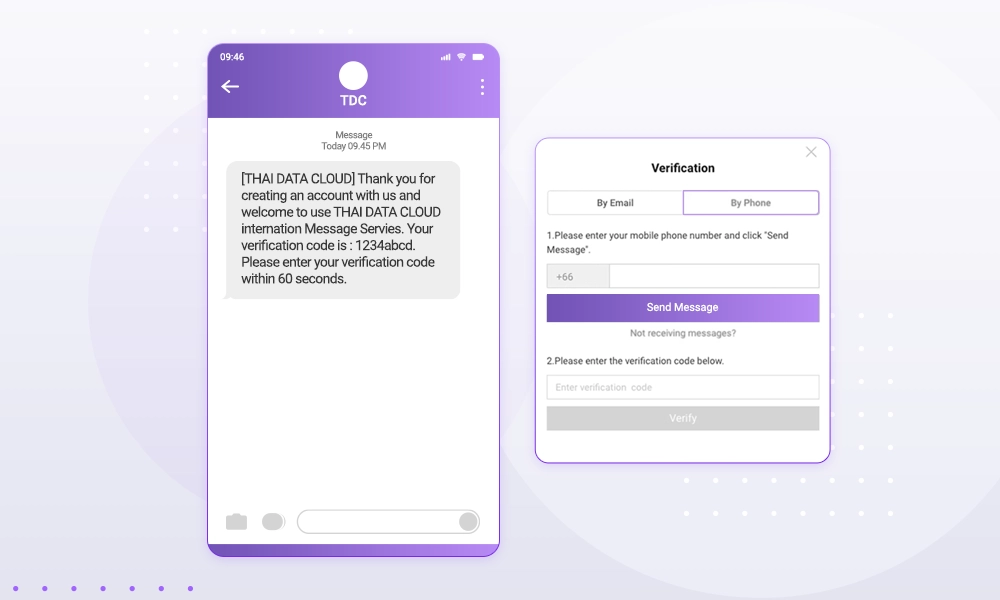
OTP Messages
- รับรองความปลอดภัยทางธุรกิจ ตรวจสอบตัวตนของผู้ใช้เพื่อป้องกันการลงทะเบียนที่เป็นอันตราย
- รองรับข้อความหลายภาษา (Multilingual support)
- ให้บริการ Message variables และเนื้อหาแบบไดนามิกสำหรับสถานการณ์ทางธุรกิจต่างๆ
- คุณภาพของการบริการ (QoS) จัดลำดับความสำคัญของข้อความเพื่อให้มั่นใจว่ามีการส่งข้อความที่มีลำดับความสำคัญสูงอย่างรวดเร็ว
Scenarios
การลงทะเบียนบนแอปพลิเคชันหรือเว็บไซต์ การเข้าสู่ระบบที่ปลอดภัย การยืนยันการชำระเงิน การยืนยันตัวตน (identity verification) การรีเซ็ตรหัสผ่าน และการผูกบัญชี (account binding)
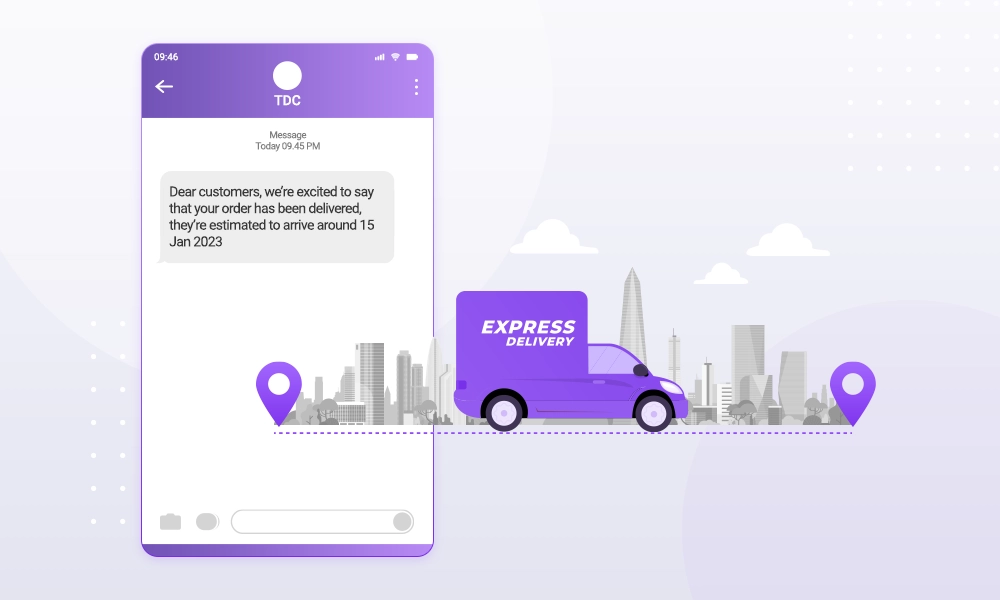
Notification Messages
- ให้คุณส่งข้อความแจ้งเตือนในสถานการณ์ต่างๆ ได้ทั่วโลก
- พัฒนาธุรกิจในและต่างประเทศ ช่วยให้คุณเข้าถึงลูกค้าทั่วโลก
Scenarios
การแจ้งเตือนคำสั่งซื้อ การชำระเงิน การขนส่ง การประชุม และบริการในชีวิตประจำวัน (daily life services)
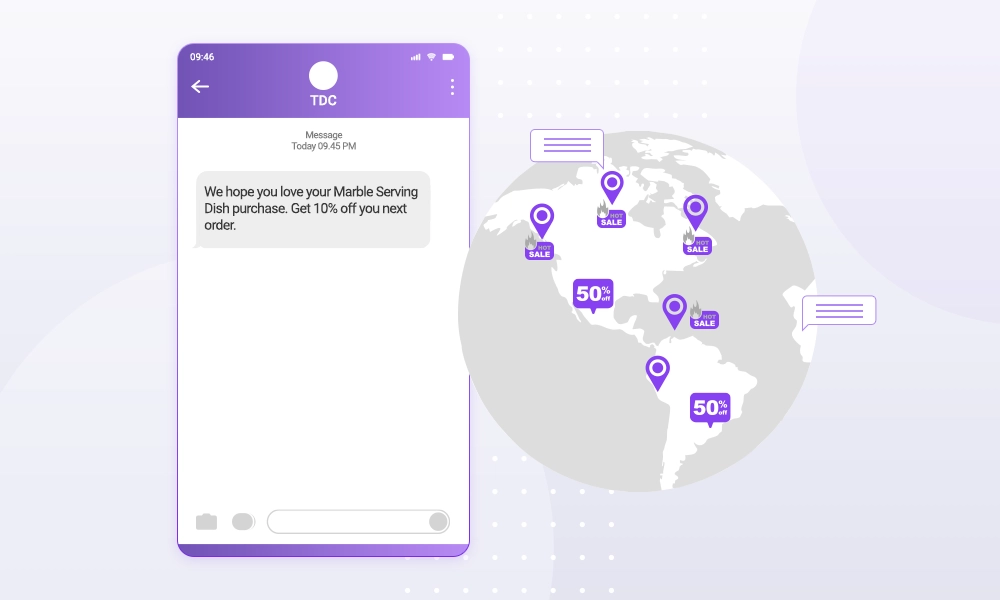
Promotional Messages
- จัดเตรียมข้อความส่งเสริมการขายสำหรับสถานการณ์ต่างๆ ทั่วโลก เพื่อเพิ่มประสิทธิภาพและปรับปรุงการรับรู้แบรนด์ (Brand awareness) และกระตุ้นการเติบโตของธุรกิจ
- ให้คุณสมบัติการส่งเป็นชุด (batch sending) ที่ให้คุณส่งข้อความไปยังหมายเลขโทรศัพท์มือถือกว่า 500,000 หมายเลขพร้อมกันได้
Scenarios
การเปิดตัวผลิตภัณฑ์ใหม่ การส่งเสริมการขายผลิตภัณฑ์ การดูแลสมาชิก คำเชิญเข้าร่วมงาน และการตลาดข้ามพรมแดน (cross-border marketing)

ˈmärkədiNG
การตลาด
noun
การซื้อขาย, การตลาด
OTP Messages
- รับรองความปลอดภัยทางธุรกิจ ตรวจสอบตัวตนของผู้ใช้เพื่อป้องกันการลงทะเบียนที่เป็นอันตราย
- รองรับข้อความหลายภาษา (Multilingual support)
- ให้บริการ Message variables และเนื้อหาแบบไดนามิกสำหรับสถานการณ์ทางธุรกิจต่างๆ
- คุณภาพของการบริการ (QoS) จัดลำดับความสำคัญของข้อความเพื่อให้มั่นใจว่ามีการส่งข้อความที่มีลำดับความสำคัญสูงอย่างรวดเร็ว
Scenarios
การลงทะเบียนบนแอปพลิเคชันหรือเว็บไซต์ การเข้าสู่ระบบที่ปลอดภัย การยืนยันการชำระเงิน การยืนยันตัวตน (identity verification) การรีเซ็ตรหัสผ่าน และการผูกบัญชี (account binding)
Notification Messages
- ให้คุณส่งข้อความแจ้งเตือนในสถานการณ์ต่างๆ ได้ทั่วโลก
- พัฒนาธุรกิจในและต่างประเทศ ช่วยให้คุณเข้าถึงลูกค้าทั่วโลก
Scenarios
การแจ้งเตือนคำสั่งซื้อ การชำระเงิน การขนส่ง การประชุม และบริการในชีวิตประจำวัน (daily life services)
Promotional Messages
- จัดเตรียมข้อความส่งเสริมการขายสำหรับสถานการณ์ต่างๆ ทั่วโลก เพื่อเพิ่มประสิทธิภาพและปรับปรุงการรับรู้แบรนด์ (Brand awareness) และกระตุ้นการเติบโตของธุรกิจ
- ให้คุณสมบัติการส่งเป็นชุด (batch sending) ที่ให้คุณส่งข้อความไปยังหมายเลขโทรศัพท์มือถือกว่า 500,000 หมายเลขพร้อมกันได้
Scenarios
การเปิดตัวผลิตภัณฑ์ใหม่ การส่งเสริมการขายผลิตภัณฑ์ การดูแลสมาชิก คำเชิญเข้าร่วมงาน และการตลาดข้ามพรมแดน (cross-border marketing)
ˈmärkədiNG
การตลาด
noun
การซื้อขาย, การตลาด